Computer Battery Replacement
Read more

Whether you're connecting your laptop to an external monitor or your gaming console to a TV, the HDMI port plays a critical role in delivering clear video and audio output. With frequent use, plugging and unplugging cables, or accidental damage, HDMI ports can wear out or become faulty over time.
HDMI connectivity depends on both the physical port and internal components that transmit audio and video signals. If something isn’t working properly, you may notice issues such as:
Before seeking repair, there are a few troubleshooting steps you can try.
Start by checking the HDMI cable. Try using a different cable to rule out the possibility of a faulty connection. Also, test the device with another screen (TV or monitor) to confirm whether the issue is coming from the device or the display.
For computers, make sure your display settings are configured correctly. Verify that the correct input source is selected on your monitor or TV. Updating your graphics drivers can also resolve compatibility issues that may affect HDMI output.
For gaming consoles, restart the system and ensure it is set to output through HDMI. You may also want to check resolution settings, as unsupported resolutions can sometimes cause display issues.
If the connection feels loose or requires you to adjust the cable to maintain signal, the HDMI port itself may be physically damaged or worn out.
If troubleshooting does not resolve the issue, the HDMI port may need professional repair or replacement.
At CPR, our technicians can diagnose and repair HDMI port issues for both computers and gaming consoles. Whether the port is loose, damaged, or completely non-functional, we have the tools and expertise to restore proper connectivity.
Visit your nearest location for same-day service when available, or mail in your device at your convenience. We’ll provide a free estimate and help get your device back to delivering clear, reliable video output.
Other Issues



Get It Fixed Today!
CPR Cell Phone Repair can provide holistic warranty and repair solutions for all of your business’ devices.

Buy or Sell Your Device
CPR Cell Phone Repair can provide holistic warranty and repair solutions for all of your business’ devices.




All CPR Stores are independently owned and operated and may not offer all of the repair and warranty types listed on this website. Contact your local store for their specific repair capabilities and warranty terms. MMI-CPR, LLC and CPR Stores are not liable for warranties made by third parties on specific accessories or devices sold at CPR Stores. All product and company names are trademarks of their respective holders. iPhone, iPad, iPod, iPod touch, Mac and iMac are registered trademarks and property of Apple, Inc. CPR is a third-party repair company and is not affiliated with Apple.
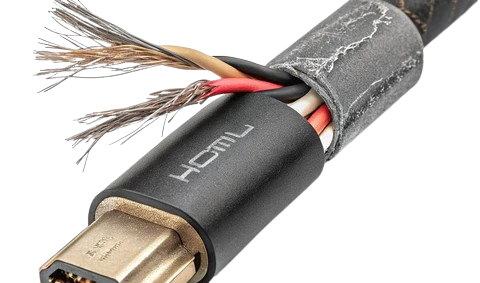
HDMI Port Repairs for Clear Video Output
Whether you're connecting your laptop to an external monitor or your gaming console to a TV, the HDMI port plays a critical role in delivering clear video and audio output. With frequent use, plugging and unplugging cables, or accidental damage, HDMI ports can wear out or become faulty over time.
HDMI connectivity depends on both the physical port and internal components that transmit audio and video signals. If something isn’t working properly, you may notice issues such as:
Before seeking repair, there are a few troubleshooting steps you can try.
Start by checking the HDMI cable. Try using a different cable to rule out the possibility of a faulty connection. Also, test the device with another screen (TV or monitor) to confirm whether the issue is coming from the device or the display.
For computers, make sure your display settings are configured correctly. Verify that the correct input source is selected on your monitor or TV. Updating your graphics drivers can also resolve compatibility issues that may affect HDMI output.
For gaming consoles, restart the system and ensure it is set to output through HDMI. You may also want to check resolution settings, as unsupported resolutions can sometimes cause display issues.
If the connection feels loose or requires you to adjust the cable to maintain signal, the HDMI port itself may be physically damaged or worn out.
If troubleshooting does not resolve the issue, the HDMI port may need professional repair or replacement.
At CPR, our technicians can diagnose and repair HDMI port issues for both computers and gaming consoles. Whether the port is loose, damaged, or completely non-functional, we have the tools and expertise to restore proper connectivity.
Visit your nearest location for same-day service when available, or mail in your device at your convenience. We’ll provide a free estimate and help get your device back to delivering clear, reliable video output.
Choose what you need fixed to begin your Free repair estimate — we’ll guide you every step of the way.
Smartphone
Computer
Tablet
Console
All CPR Stores are independently owned and operated and may not offer all of the repair and warranty types listed on this website. Contact your local store for their specific repair capabilities and warranty terms. MMI-CPR, LLC and CPR Stores are not liable for warranties made by third parties on specific accessories or devices sold at CPR Stores. All product and company names are trademarks of their respective holders. iPhone, iPad, iPod, iPod touch, Mac and iMac are registered trademarks and property of Apple, Inc. CPR is a third-party repair company and is not affiliated with Apple.