Power Button Replacement - smartphone
Read more

If you are having trouble with the memory card in your device, we can help. A failing memory card can cause slow or choppy downloads, loss of functionality, errors when loading, or strange noises when trying to save items to the card. You should first try to troubleshoot the problem to see if there is a simple solution.
If the memory card reader is in your PC, the card’s capacity might be too high for it to read. If you are trying a 16 GB memory card, test the reader with a lower-capacity card, such as 2 GB. Your PC might also require a driver update. Check your PC manufacturer’s website to see if there is an update available. Some PC manufacturers offer a diagnostic tool for your memory card reader as well.
Test the memory card in another device to make sure that it is the reader that is not working. If the memory card does not work in any device, it could be a damaged or corrupted card. Make sure that the memory card is not locked. SD memory cards have a lock on the left side that you must slide up to unlock.
If you have ruled out a damaged, locked, or incompatible memory card, you might need to repair your memory card reader. We are staffed with experienced technicians who can find the problem quickly and get your device repaired and back in your hands. We offer mail-in repair service for convenient repairs that don’t interrupt your work day. We also provide walk-in repair service at our local stores. Most of these repairs can be completed on-site while you wait in our store. We’d love to help you fix your electronic device.
Other Issues



Get It Fixed Today!
CPR Cell Phone Repair can provide holistic warranty and repair solutions for all of your business’ devices.

Buy or Sell Your Device
CPR Cell Phone Repair can provide holistic warranty and repair solutions for all of your business’ devices.




All CPR Stores are independently owned and operated and may not offer all of the repair and warranty types listed on this website. Contact your local store for their specific repair capabilities and warranty terms. MMI-CPR, LLC and CPR Stores are not liable for warranties made by third parties on specific accessories or devices sold at CPR Stores. All product and company names are trademarks of their respective holders. iPhone, iPad, iPod, iPod touch, Mac and iMac are registered trademarks and property of Apple, Inc. CPR is a third-party repair company and is not affiliated with Apple.
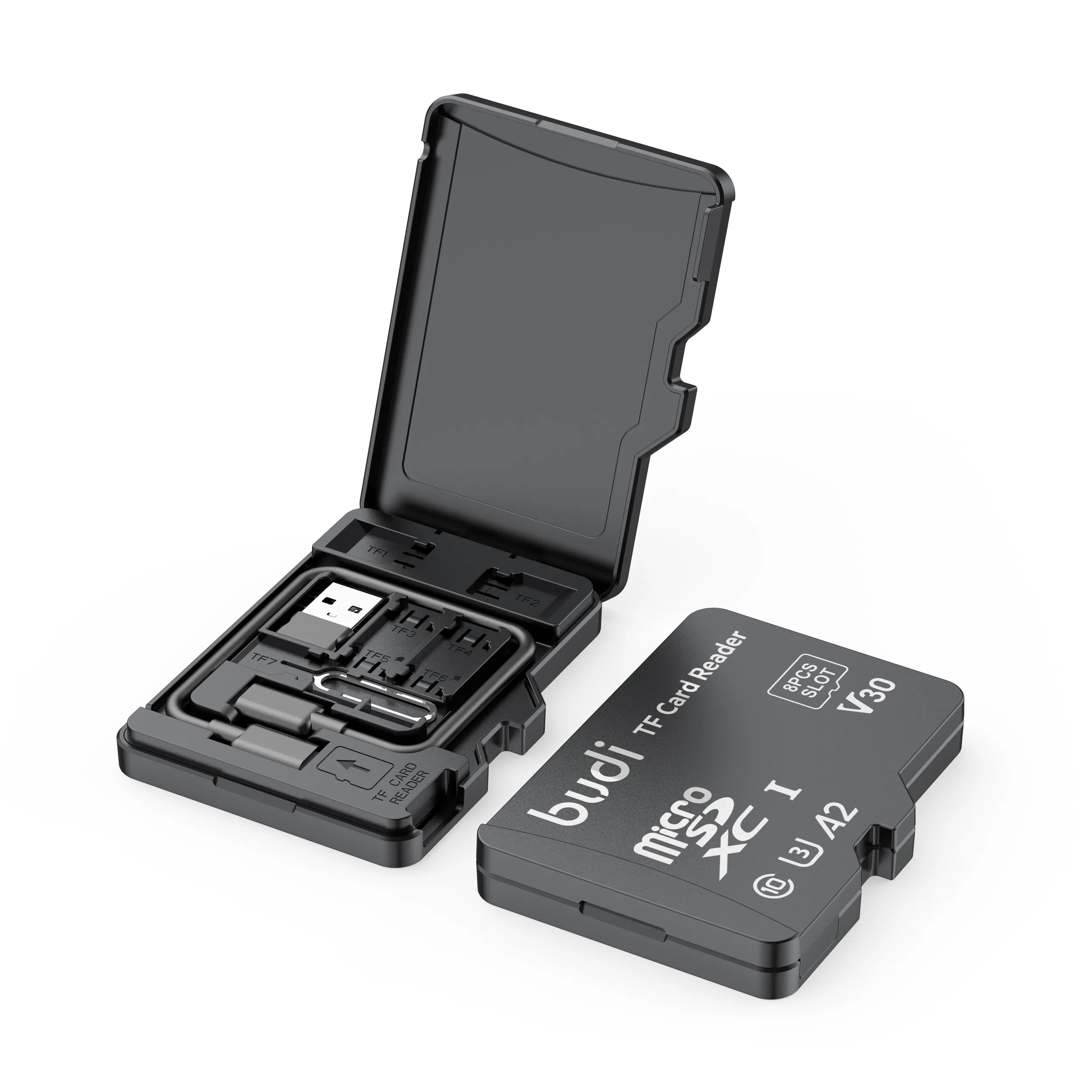
Memory Card Reader Replacement & Repair
If you are having trouble with the memory card in your device, we can help. A failing memory card can cause slow or choppy downloads, loss of functionality, errors when loading, or strange noises when trying to save items to the card. You should first try to troubleshoot the problem to see if there is a simple solution.
If the memory card reader is in your PC, the card’s capacity might be too high for it to read. If you are trying a 16 GB memory card, test the reader with a lower-capacity card, such as 2 GB. Your PC might also require a driver update. Check your PC manufacturer’s website to see if there is an update available. Some PC manufacturers offer a diagnostic tool for your memory card reader as well.
Test the memory card in another device to make sure that it is the reader that is not working. If the memory card does not work in any device, it could be a damaged or corrupted card. Make sure that the memory card is not locked. SD memory cards have a lock on the left side that you must slide up to unlock.
If you have ruled out a damaged, locked, or incompatible memory card, you might need to repair your memory card reader. We are staffed with experienced technicians who can find the problem quickly and get your device repaired and back in your hands. We offer mail-in repair service for convenient repairs that don’t interrupt your work day. We also provide walk-in repair service at our local stores. Most of these repairs can be completed on-site while you wait in our store. We’d love to help you fix your electronic device.
Choose what you need fixed to begin your Free repair estimate — we’ll guide you every step of the way.
Smartphone
Computer
Tablet

Console
All CPR Stores are independently owned and operated and may not offer all of the repair and warranty types listed on this website. Contact your local store for their specific repair capabilities and warranty terms. MMI-CPR, LLC and CPR Stores are not liable for warranties made by third parties on specific accessories or devices sold at CPR Stores. All product and company names are trademarks of their respective holders. iPhone, iPad, iPod, iPod touch, Mac and iMac are registered trademarks and property of Apple, Inc. CPR is a third-party repair company and is not affiliated with Apple.